A web crawler for security professionals
SpiderSuite
Automated attack surface mapping, endpoint discovery, traffic interception, and advanced web application analysis for modern security testing.
Views
Multiple ways to analyze your crawl data
SpiderSuite provides several specialized views that help security professionals inspect, understand, and visualize large amounts of discovered content.
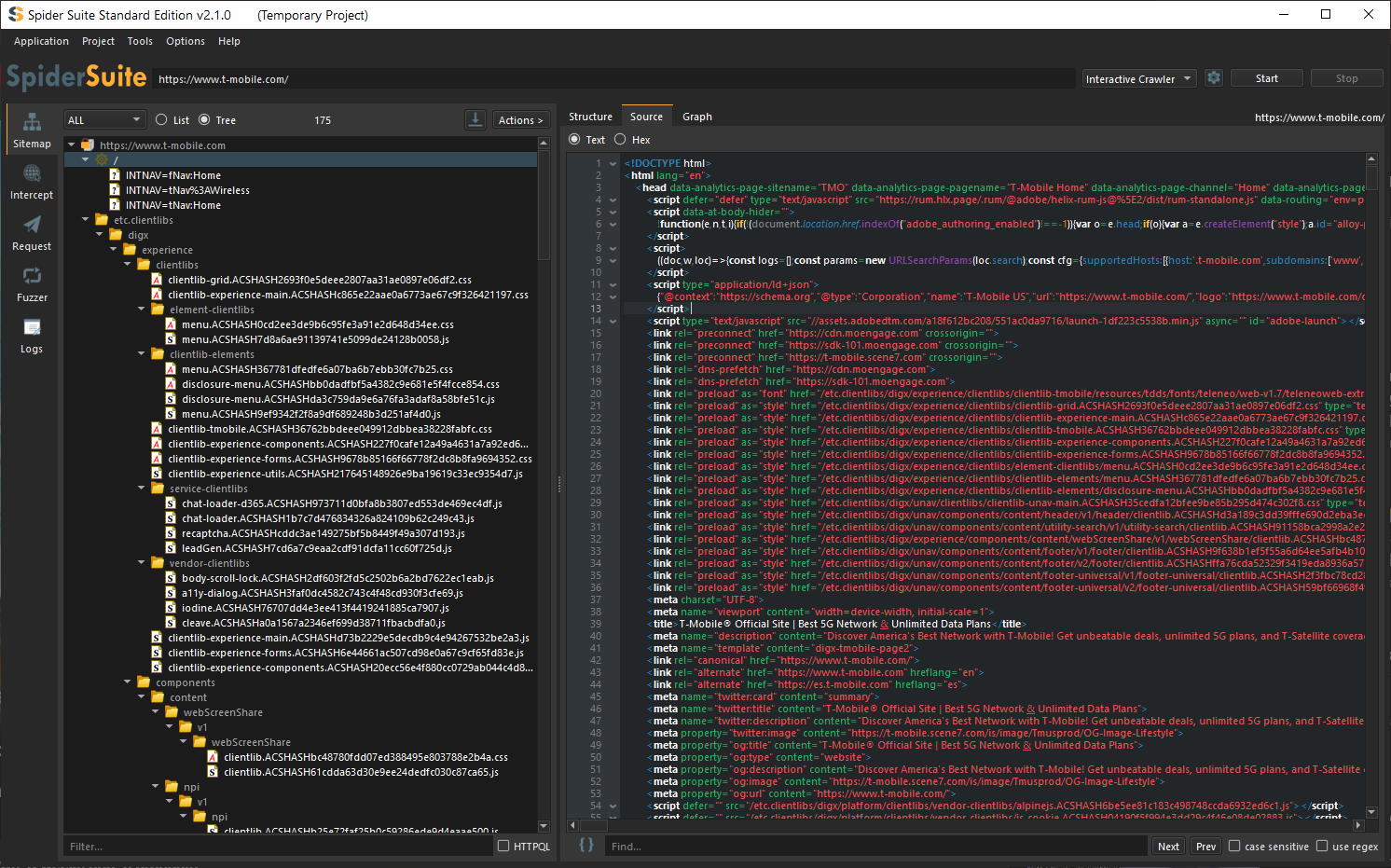
Source View
Inspect the complete HTTP response returned by the target application, including HTML, JSON, JavaScript, XML, and other content types. Source View makes it easy to analyze page content, discover hidden endpoints, review client-side code, and understand exactly what was delivered by the server. This view can display both text based and binary based data/content and is particularly useful during reconnaissance and content auditing.
Graph View
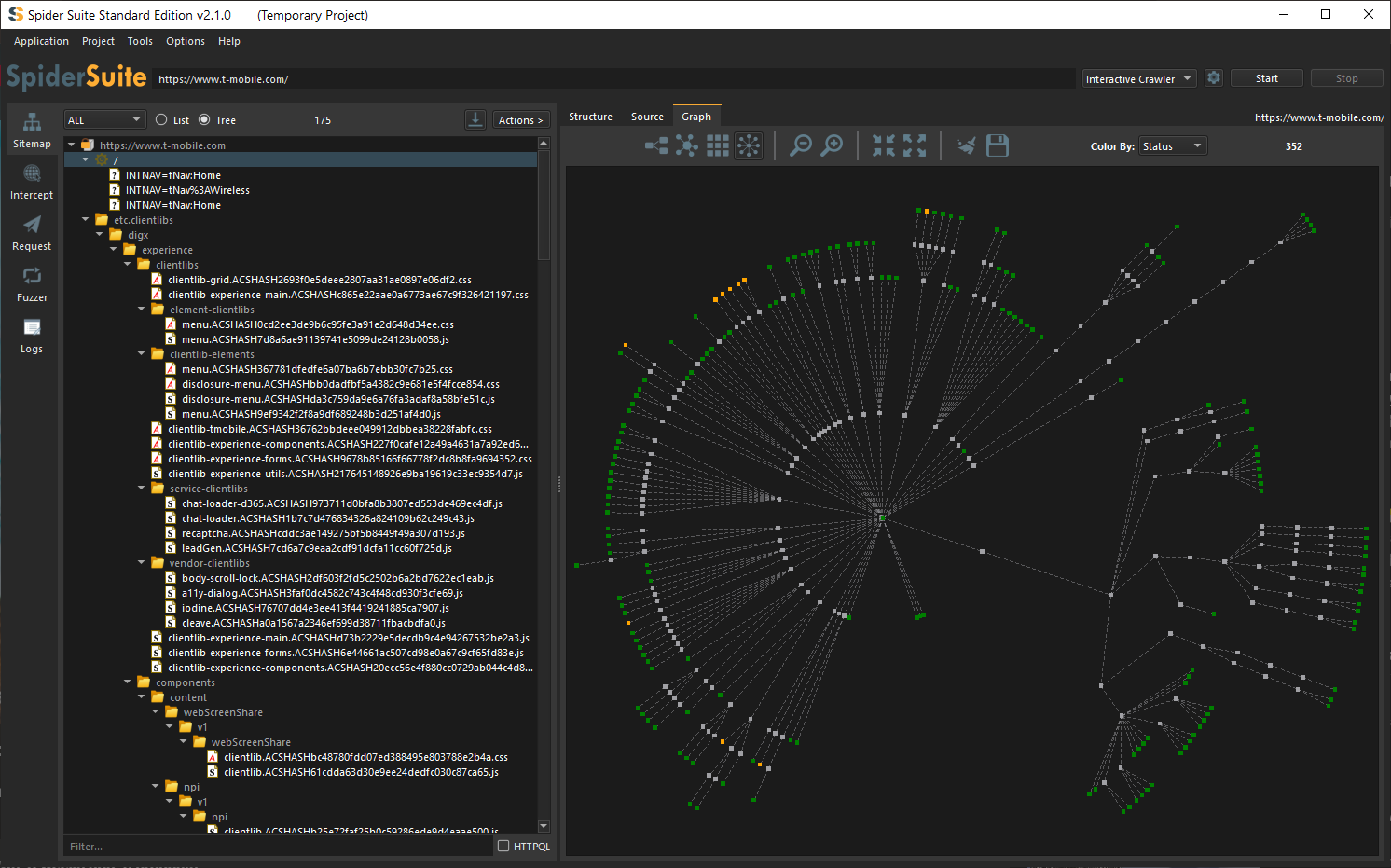
Visualize the entire attack surface of a website using an interactive relationship graph. Graph View displays how pages, directories, endpoints, assets, and external resources connect to one another, making it easier to identify critical paths, orphaned content, hidden functionality, and application architecture. Large crawl results can be explored visually to quickly understand site structure. The graph structure can be visualized in multiple different layouts.
Serialization
Import & Export
Seamlessly exchange data between SpiderSuite and other security tools using widely adopted industry formats.
Import
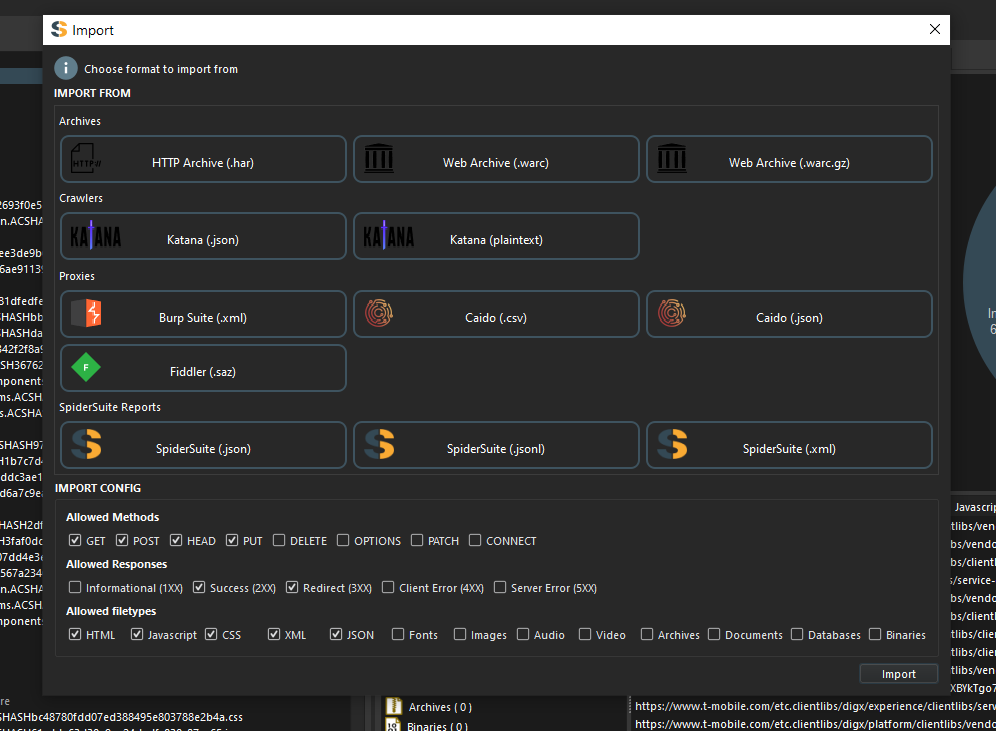
Consolidate reconnaissance and testing data from multiple security tools into a single workspace. SpiderSuite supports importing crawl results, proxy captures, web archives, and session data from industry-standard formats, allowing security teams to continue investigations without repeating data collection activities. Supported sources include HTTP archives (HAR), web archives (WARC), crawler exports, proxy captures from popular security tools, and SpiderSuite project exports.
Export
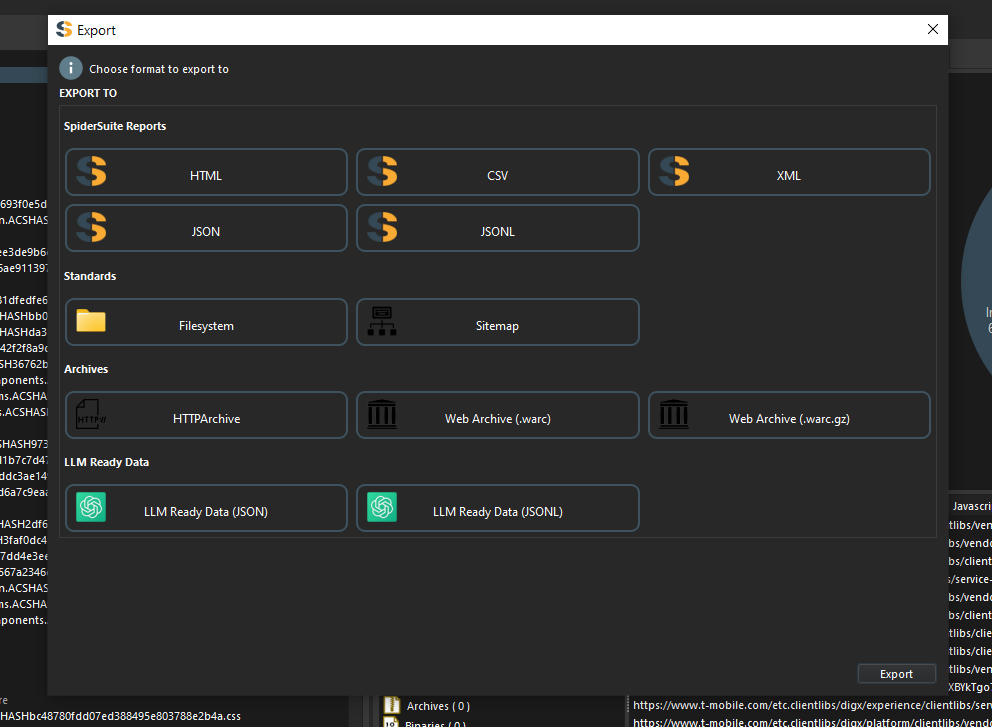
Export crawl results, discovered endpoints, metadata, responses, and extracted content in formats suitable for spreadsheets, databases, reporting platforms, custom tooling, long-term storage, and collaborative security assessments. Supported export targets include HAR, WARC, XML sitemaps, HTML reports, CSV, JSON, JSONL, filesystem mirroring, and specialized AI-ready datasets optimized for large language model processing, training, and fine-tuning workflows.
Core features
Built for security professionals
Comprehensive web crawling and security testing tools designed for penetration testers and security researchers.
Crawlers
Six specialized crawler types for static sites, JavaScript-heavy apps, interactive workflows, directory discovery, archive recon, and external link lists.
Intercept
Intercept HTTP(S) traffic from browsers. Modify requests and responses before they proceed. Full control over web traffic for testing.
Request
Craft custom HTTP(S) requests with precision. Test endpoints, headers, payloads, and authentication. Get detailed responses.
Fuzzer
Automated fuzzing with multiple techniques. Test for vulnerabilities, edge cases, and unexpected behaviors. Comprehensive response analysis.
Import & Export
Support for multiple file formats. Import data from various sources. Export results in JSON, CSV, XML, and more for further analysis.
Analyze
Comprehensive display of webpage content. View request/response details, extracted data, metadata, headers, and all relevant information.
Crawlers
Six ways to map a target
SpiderSuite includes specialized crawlers for different site architectures, recon workflows, and discovery scenarios.
Standard Crawler
Crawls websites by extracting and following links from HTML pages. Fast and efficient for sites that don't rely heavily on JavaScript.
Headless Crawler
Uses a headless browser to render pages and execute JavaScript. Captures content generated dynamically by client-side code.
Interactive Crawler
Unlike traditional crawlers, Interactive Crawler launches a browser and loads the target website. A crawler control dialog is displayed, allowing the user to start, pause, resume, and stop crawling while interacting with the page.
This approach is ideal for modern web applications that require user interaction before content, endpoints, and functionality become visible.
Bruteforce Crawler
Discovers hidden pages, directories, files, and application resources by systematically testing common paths, filenames, and URL patterns from a file. The bruteforce crawler helps identify content that may not be referenced through normal navigation or linked pages, including administrative interfaces, backup files, API endpoints, configuration files, and other potentially sensitive resources.
Archive Crawler
Archive Crawler obtains URLs from internet archives and then crawls every discovered URL to identify pages, endpoints, files, parameters, and historical attack surfaces that may no longer be linked from the live website.
Links Crawler
Fetches and processes URLs from external files e.g. sitemaps/project_files or link lists.
Why choose SpiderSuite?
Key advantages
- Crawl entire target sites with a simple click
- Analyze extracted content with powerful tools
- Visualize crawled surfaces on interactive graphs
- Import content from popular security tools
- Export data in multiple formats (CSV, JSON, XML, HTML)
- Built-in directory bruteforcing capabilities
Perfect for
- Attack Surface Mapping
- Web Application Security Testing
- Bug Bounty Hunting
- Penetration Testing Recon
- Site Structure Analysis
- Content Discovery
Ready to start testing?
Download SpiderSuite and take your security testing to the next level.