When performing web penetration testing, having a comprehensive target sitemap can make or break your assessment. In this post, I'll show you how to supercharge Caido's sitemap by pairing it with Spider Suite crawlers.
What is Caido?
Caido is a lightweight, modern web security auditing tool designed for security professionals. Built as a fast and developer-friendly alternative for testing web applications, Caido allows you to intercept, replay, and analyze HTTP traffic with ease. It has quickly become a go-to tool for web penetration testers looking for a clean, performant proxy experience.
What is Spider Suite?
Spider Suite is an advanced web security crawler, developed to help security researchers when performing web security assessments. It crawls and maps a target's full attack surface automatically.
The Problem
When using Caido for web penetration testing, I often find that manually navigating through a target site only produces a very limited attack surface. I always can't help but wonder whether the bug or security issue I'm looking for is hiding on a page I never successfully mapped.
The Solution
Since Caido operates as a proxy and Spider Suite supports proxy connections, you can redirect all of Spider Suite's crawler traffic through Caido's proxy. This allows every crawled page to be mapped directly into Caido's target sitemap giving you a far more complete picture of the attack surface with minimal manual effort.
Step-by-Step Guide
1. Configure Caido
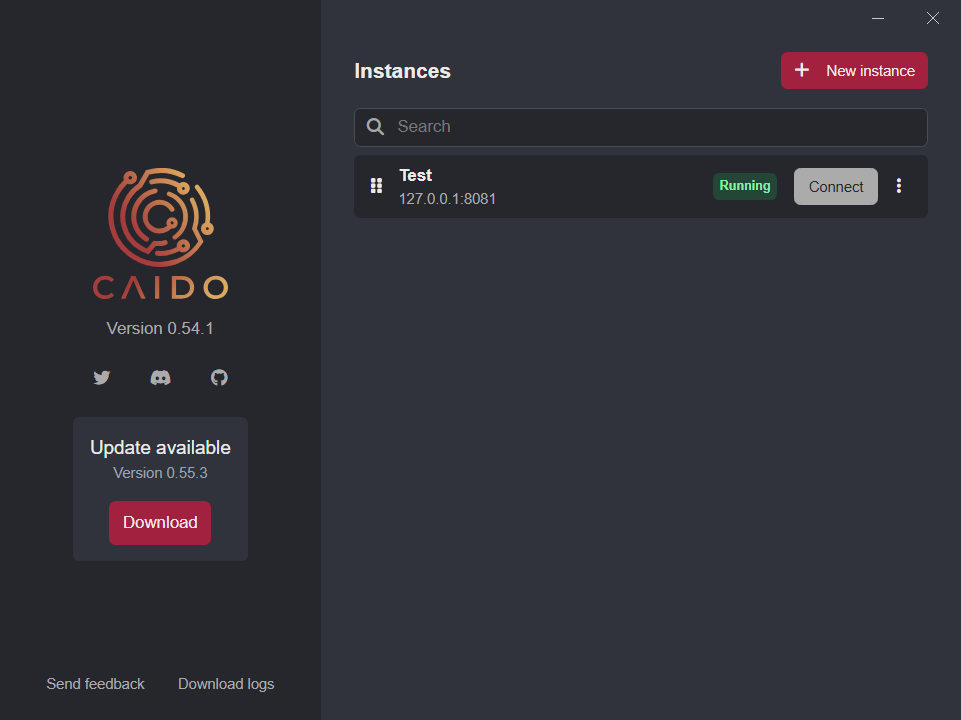
- Open Caido and choose your instance.
- Note the Host and Port Caido is listening on (default is usually
127.0.0.1:8080). - Ensure the Proxy Listener is active.
- Turn off Intercept so traffic flows through automatically without requiring manual forwarding.
- Set up your Target Scope to focus Caido's logging on the relevant domain(s).
You can configure the scope under Scope settings to avoid capturing unwanted third-party traffic.
2. Configure Spider Suite's Crawler and Proxy Connection
- Open your Spider Suite application.
- Choose the crawler type you are going to use. (in this case i'm using
Standard Crawler). - Open the choosen crawler config by clicking on config.
- Navigate to the Proxy tab.
- Enable Use Proxy and enter the Host and Port matching your Caido listener (e.g.,
127.0.0.1:8080). - Set Caido's CA certificate if not installed in the system you are using.
To intercept http(s) traffic from spidersuite using caido requires either;
- Caido CA Certificate be installed in your system OR.
- Provide path to downloaded caido's CA Certificate.
see caido's documentation on its CA Certificates.
- Save the configuration.
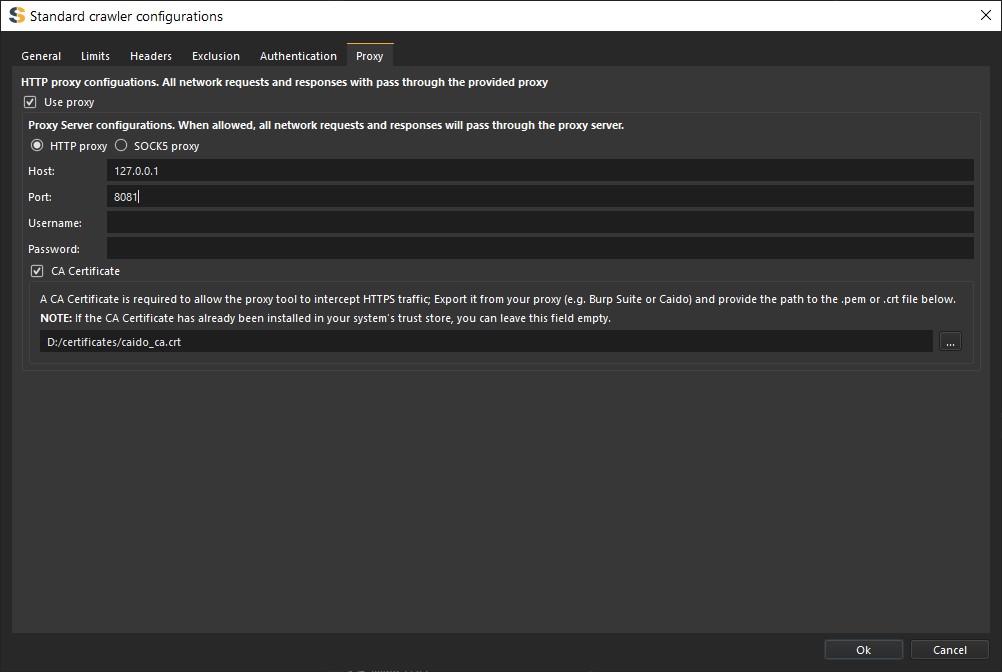
You can also fine-tune other crawler settings — such as crawl depth, request limits, and thread count — to suit your testing needs before saving.
To intercept crawler http(s) traffic with caido's proxy smoothly you have to disable Use HTTP2 and Use HTTP pipelining configurations on spidersuite.
3. Start Crawling
- In Spider Suite, configure your target URL:
https://crawler-test.com/and any additional crawl options. Startthe crawl.- As Spider Suite navigates the target, all HTTP requests will be routed through Caido's proxy.
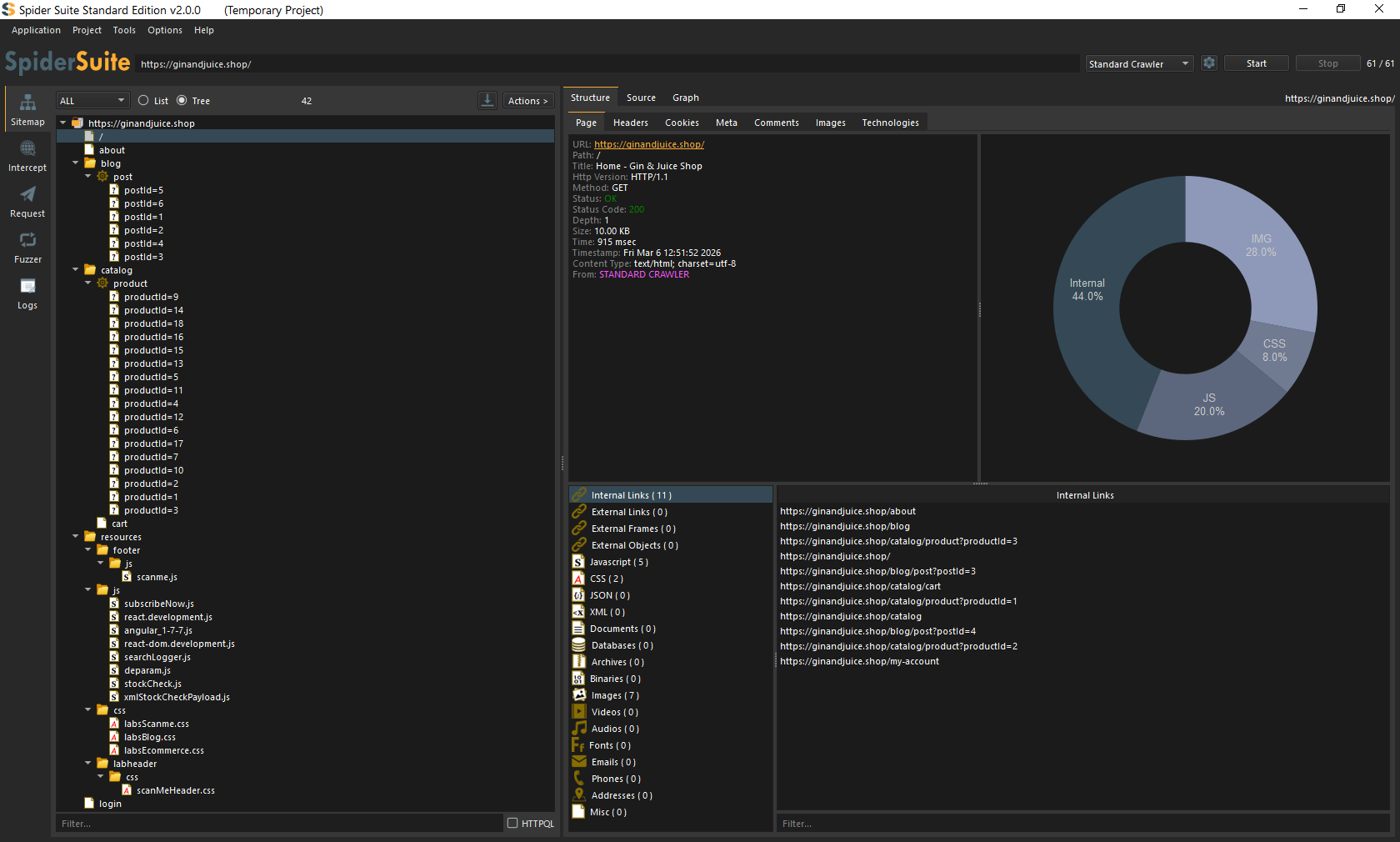
- Watch as both Spider Suite's sitemap and Caido's HTTP history/sitemap are populated in real time with the crawl results.
Results
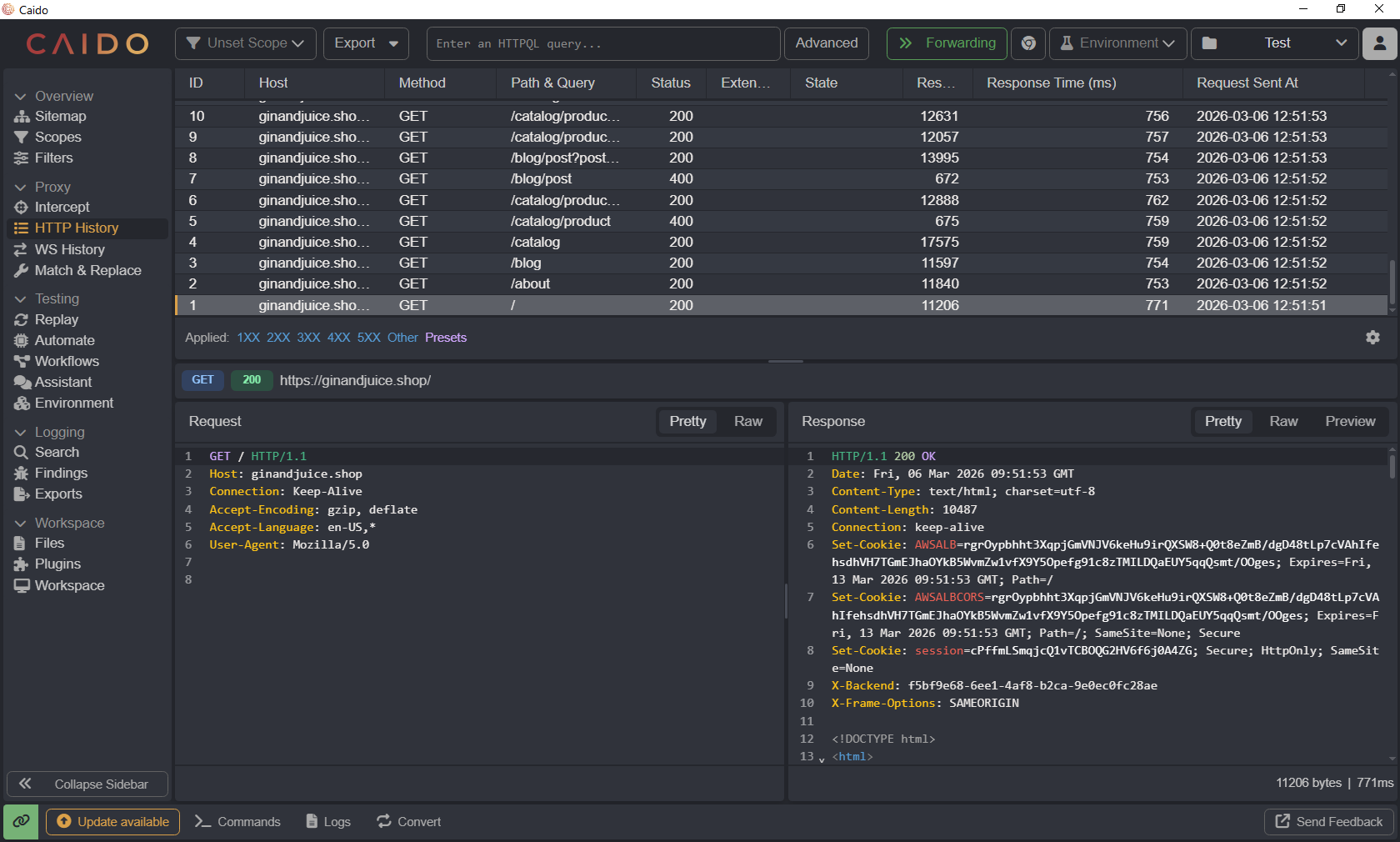
Once the crawl completes, you'll have a significantly expanded attack surface logged inside Caido including endpoints, parameters, and paths that would have been missed through manual browsing alone. From here, you can use Caido's built-in tools to replay requests, fuzz parameters, and dig deeper into any interesting findings.
Caido Results
SpiderSuite Results
Why This Combination Works
| Tool | Role |
|---|---|
| Spider Suite | Automated crawler, discovers pages and endpoints |
| Caido | Proxy + analysis, logs, replays and audits traffic |
Together, they cover each other's gaps: Spider Suite handles breadth of discovery, while Caido handles depth of analysis.
Thank you for taking the time to read this post! If you found it useful, please share it with your peers and fellow security researchers. Happy hunting!