CRAWLER CONFIG
Common configurations that can be applied to all types of crawlers.
Crawler Limits
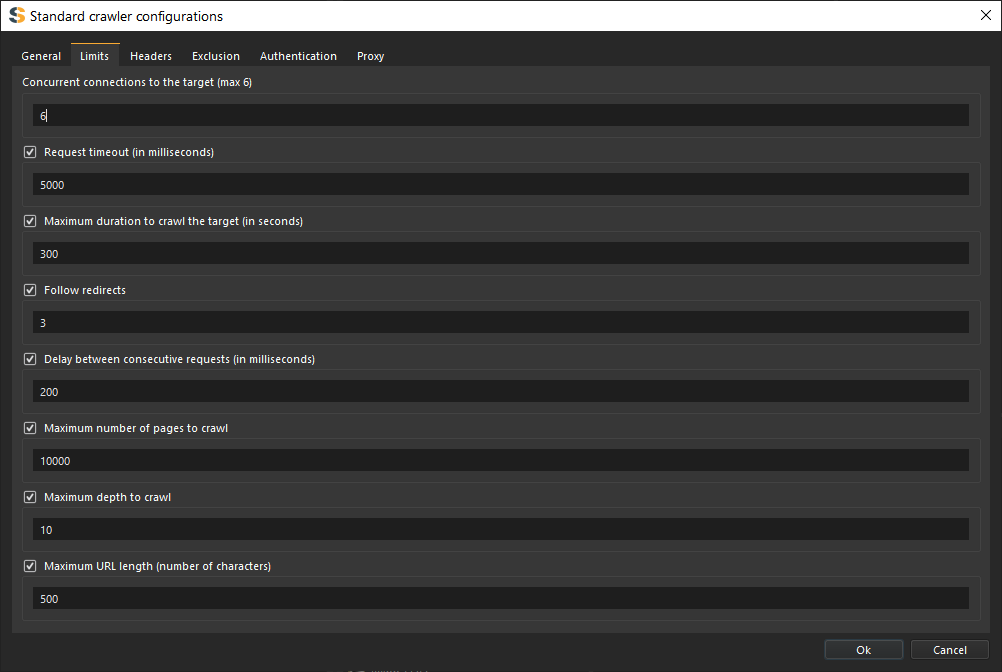
Control the scope and intensity of crawling operations.
Concurrent Requests (Connections)
Configure how many simultaneous requests the crawler can make.
- Low (1-5) - Conservative, suitable for small servers
- Medium (5-10) - Balanced approach
- High (10-20) - Fast crawling for robust servers
For Standard Edition only max of 6 concurrent requests are allowed.
High concurrency can overwhelm small servers or trigger rate limiting. Start with lower values and increase if needed.
Time Limit
Set a maximum duration for the crawl session.
- No limit - Continue until completion
- Custom duration - Stop after specified time (minutes/hours)
Request Timeout
Sets the maximum waiting duration in milliseconds for a request to elicit a response from the target server.
- Checked (True): If the timeout is reached, the request is aborted and closed.
- Unchecked (False): The request remains active until it gets a response or hits a hard 30-second threshold.
Follow Redirects
Configures how the crawler handles 3XX response status codes.
- Checked (True): The crawler automatically follows the redirection URL. You may also set the Maximum number of redirects to follow.
- Unchecked (False): The crawler saves the redirect result but will not follow it, continuing to other links instead.
Delay between Consecutive Requests
Sets the wait time (in milliseconds) between sending sequential requests to the same target server.
- Checked (True): The spider waits for the specified duration before sending the next request. This is recommended for targets that:
- Have limited server resources.
- Use rate-limiting or high-speed crawl detection.
- Have strict
robots.txtor crawling rules.
- Unchecked (False): The spider sends requests in a "tight loop" for maximum speed.
Checking this will significantly slow down the overall crawling process.
Maximum Pages to Crawl
Limits the total number of successfully crawled pages.
- Checked (True): The spider stops automatically once it hits the defined number of successful pages, regardless of remaining links.
- Unchecked (False): The spider crawls until all links are exhausted or it is manually stopped.
- Custom limit - Stop after crawling N pages
Maximum Crawl Depth
Sets the maximum page depth to crawl relative to the host domain.
- Visual Example:
https://example.com (0) -> /depth_1/ (1) -> /depth_2/ (2) - Checked (True): Only pages within the range of 0 to your "Max Depth" will be crawled.
- Unchecked (False): The spider crawls all pages at all depths.
- Custom depth - Specify maximum depth (e.g., 5 levels)
Maximum Page Size to Crawl
Sets the maximum page size in bytes allowed for download.
- Checked (True): Any page larger than the specified limit will be ignored/not downloaded.
- Unchecked (False): All pages are downloaded regardless of their size.
Maximum URL Length
Sets the maximum allowed length in bytes/characters for a URL link.
- Checked (True): Links exceeding this character count will be skipped.
- Unchecked (False): All links are crawled regardless of length.
Crawler Headers
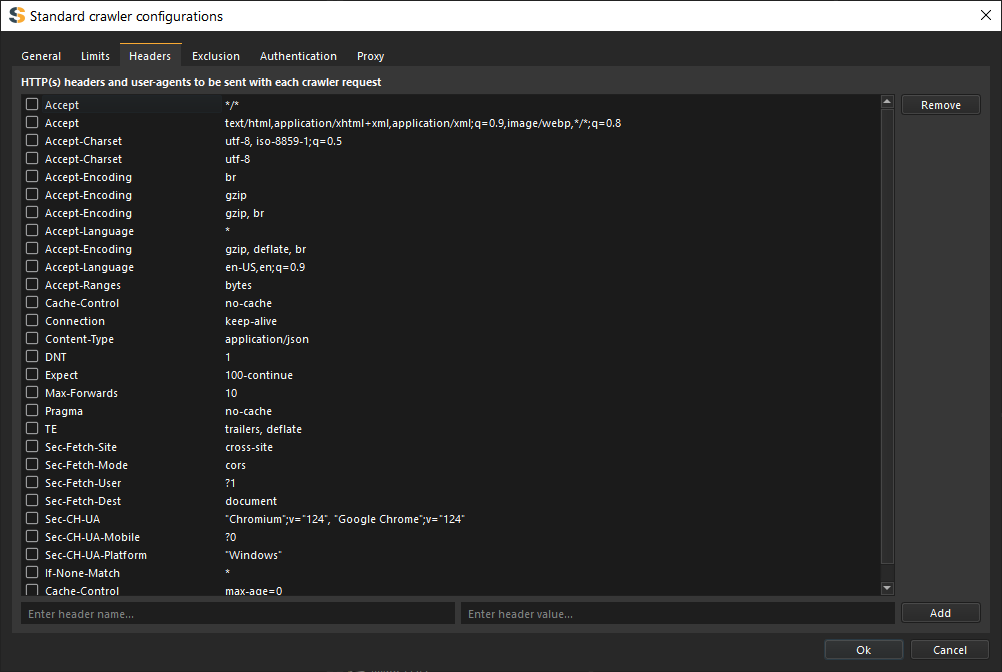
Customize HTTP headers sent with each request.
Custom Headers
Choose (check the header’s check box) of the headers you want to use for crawling the target site. Add custom headers for specific requirements:
- Enter header name
- Enter header value
- Click
Add
Headers apply to all sent requests
Input Fields
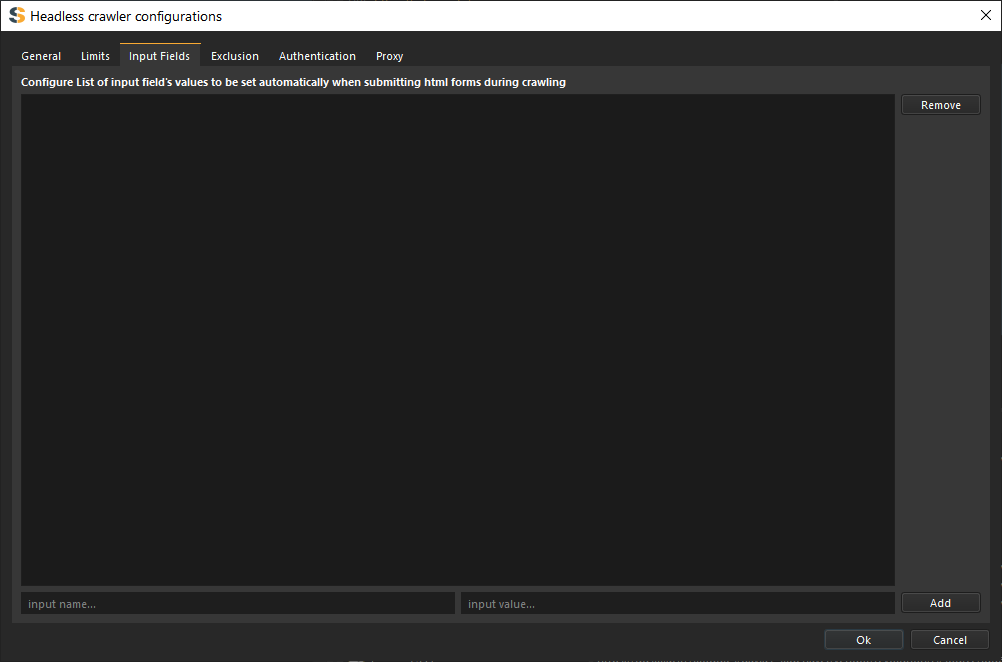
If filling html forms is allowed, values from this list are used to fill those html forms.
Crawler Exclusion
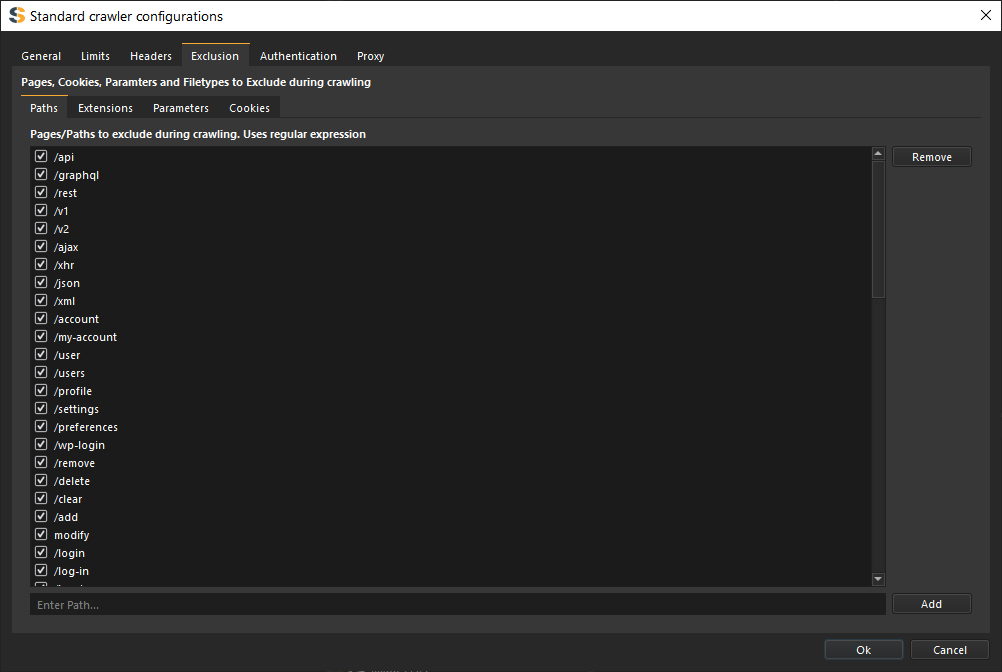
Specify resources and patterns to exclude from crawling.
URL Path Exclusions
Exclude entire directories (Paths):
/admin//private//internal/
File Type Exclusions
Exclude specific file types:
- Images:
.jpg,.png,.gif,.svg - Documents:
.pdf,.doc,.xls - Media:
.mp4,.mp3,.avi - Archives:
.zip,.tar,.gz
URL Parameter Exclusions
Exclude url parameters with specified name or value:
- Name:
action,search,url - Value:
login,logout,signin,signout
Cookie Exclusions
Exclude cookies with specified name
- Cookies:
TOKEN,CSRFTOKEN,PHPSESSID
Crawler Authentication
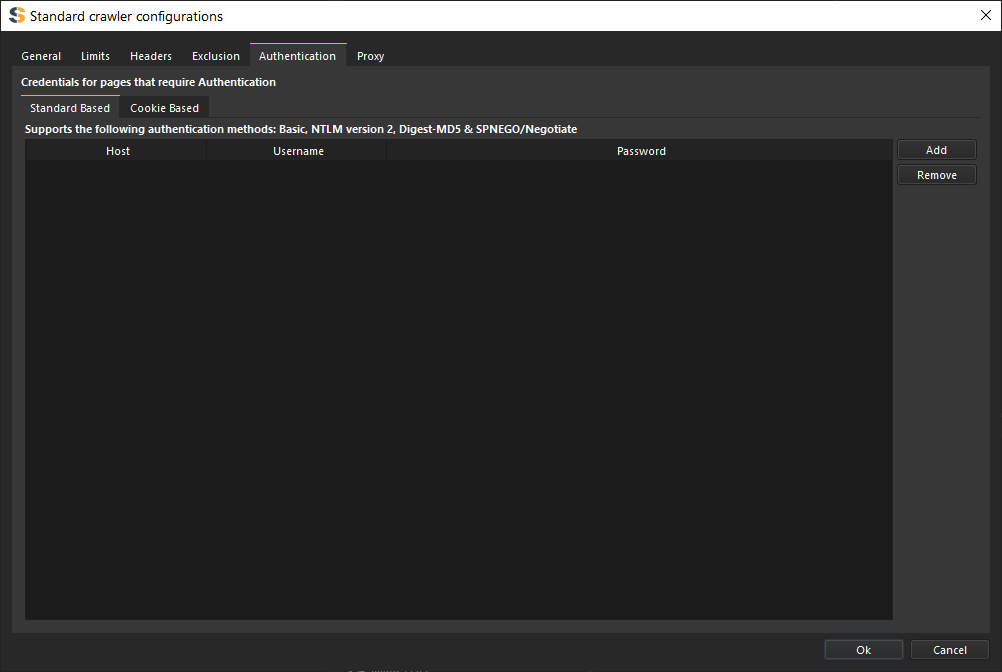
Configure authentication for accessing protected resources.
HTTP Basic Authentication
For sites using HTTP Basic, NTLM version 2, Digest-MD5 & SPNEGO/Negotiate Auth:
- Enter username
- Enter password
Cookie-Based Authentication
For traditional login forms:
- Select "Cookie Based" authentication
- Provide login URL
- Specify username field name
- Specify password field name
- Enter credentials
- Cookies will be automatically detected and saved.
Crawler Proxy
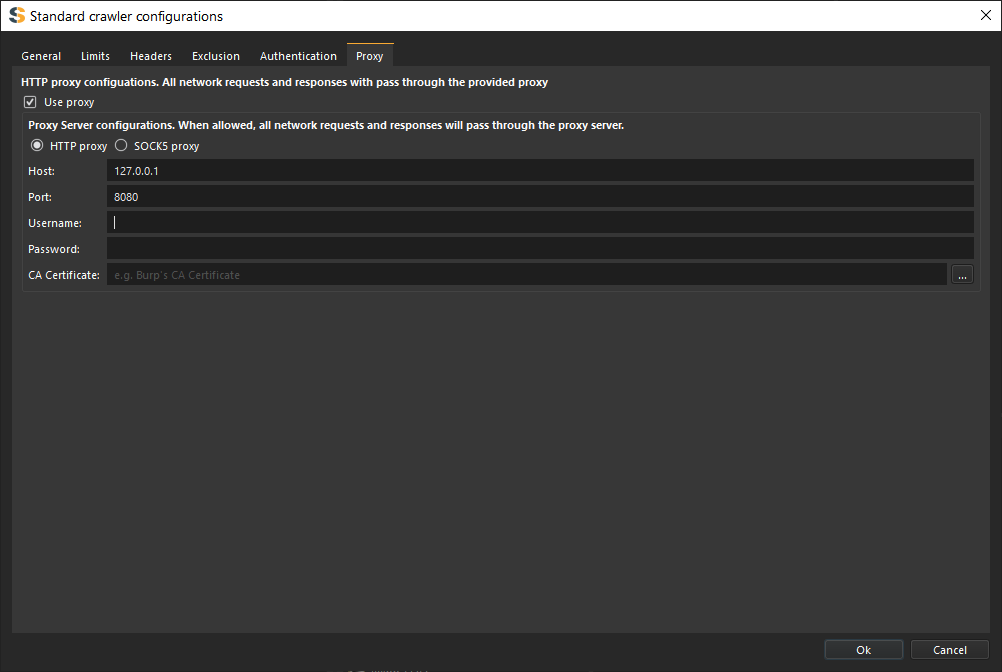
Route crawler traffic through a proxy server.
Proxy Settings
Configure proxy server details:
- Proxy type - HTTP, HTTPS, SOCKS4, SOCKS5
- Host - Proxy server address
- Port - Proxy server port
- Authentication - Username/password if required
- Custom CA certificates - Add trusted certificates
Disabling SSL verification can expose you to security risks. Only use this option in controlled testing environments.